



Coverage
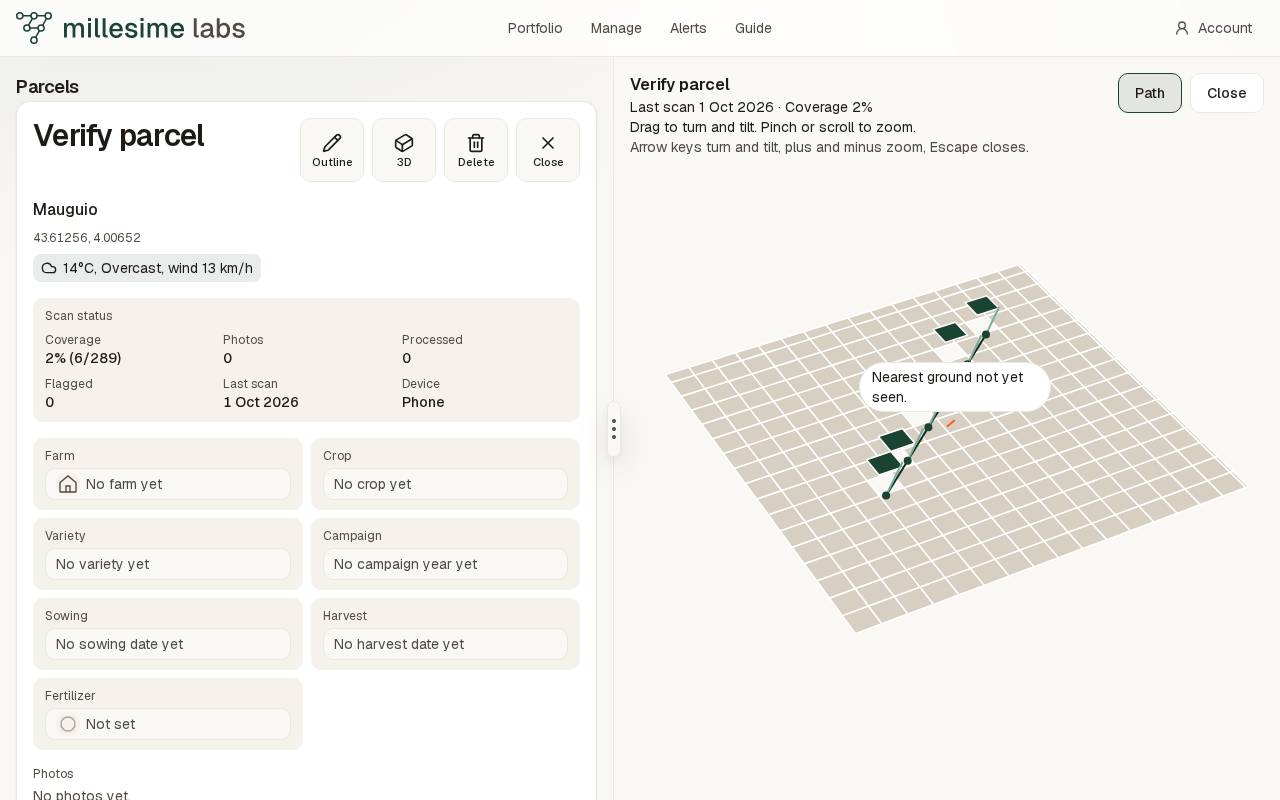
The 3D view draws the same grid as the map, with the parcel name, the last scan, and the coverage.
With a parcel open, the 3D button in the map corner opens the view in the map's place. The accessible name is Map in 3D. The parcel list stays. Close, or the Escape key, brings the map back.
The header
The header names the parcel, the date of the last scan, and the coverage: seen squares over every square of the grid, as a percent. Those are the same figures as The status card.
A seen square is pine green, a photographed square a lighter green, a square with an alert red, and unseen ground stays pale. Walk pictures open from the path cones or a tapped square — they are not stamped onto the grid. When a field model is ready, that textured mesh is the ground: the grid keeps a soft state wash and thicker edges, distant squares fade a little, and a hovered square pulses. The mesh uses sky fog and stronger key/rim lights from the same palette.
With no covered cell, the outline stays and the screen says This field has not been walked. The nearest pale patch is named Nearest ground not yet seen.
Drag to turn and tilt the field. Pinch or scroll to zoom. Tilt and zoom stop before the field flips or leaves the screen.